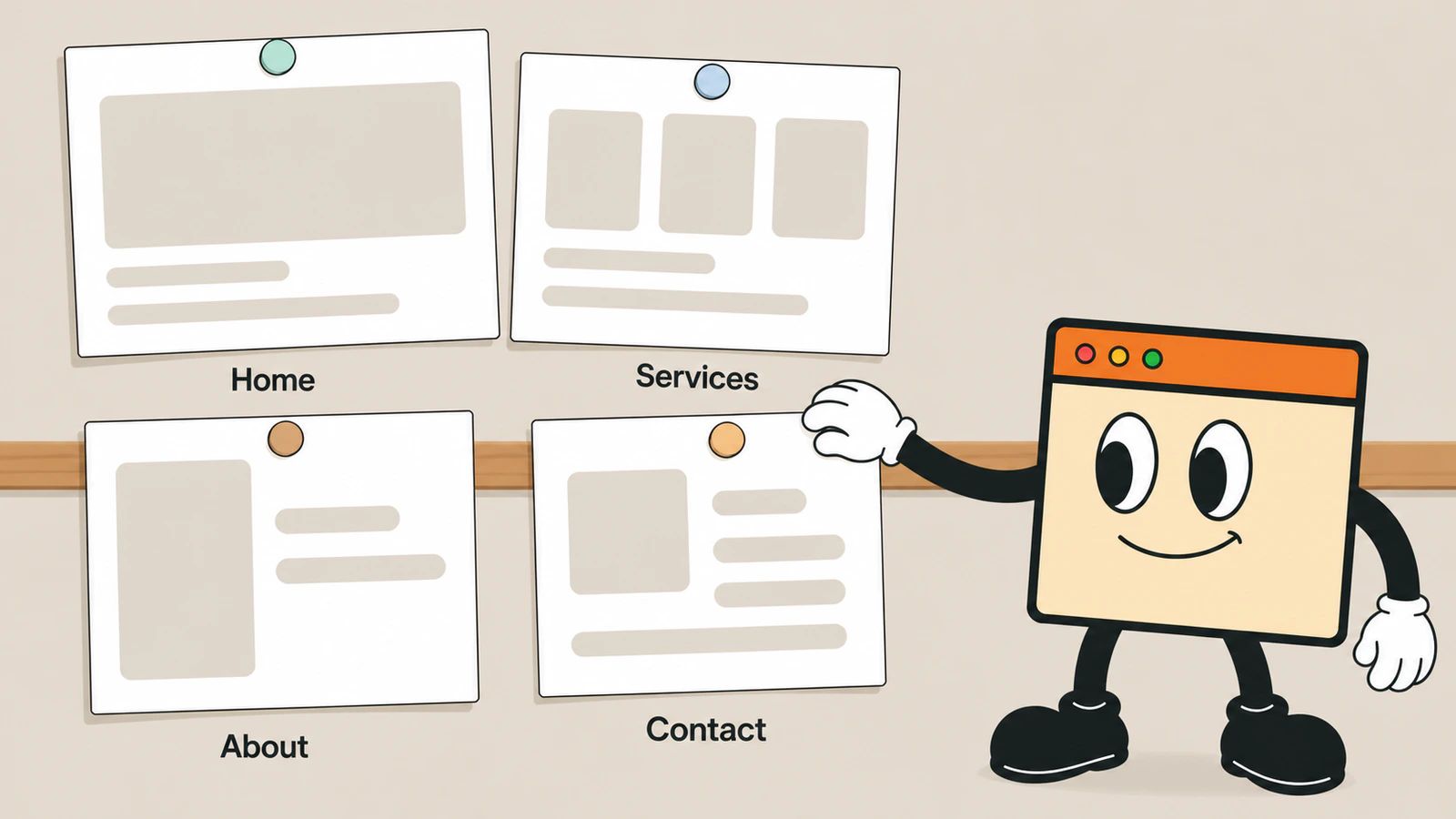
Four: home, what you do, about, and contact. Two more if you collect any information from visitors, which almost every site does. Everything past that is optional, and several of the pages commonly sold to small businesses actively make the site harder to use.
This is the shape of the smallest useful site. Whether you need one at all is a separate question, answered in do I need a website for my small business.
Question 1 of 6
What are the four pages every site needs?
| Page | Its one job | The test it has to pass |
|---|---|---|
| Home | say what you do, for whom, and where | a stranger knows all three without scrolling |
| Services or Menu | what is included, and what it costs | someone can decide without calling you |
| About | show there is a person here | a real photograph of a real person |
| Contact | make contact take one tap | phone, address, hours, a form, a map |
Home. The first screen carries your trade, your area and your name. Not a slogan, not a slideshow. If a visitor cannot tell within three seconds whether you are the right kind of business, nothing further on the page matters.
Services. The page that does the selling. List what is included and what is not. Put prices on it if you possibly can: a page that says “every project is unique” costs you the visitors who wanted a number and got a runaround.
About. The most underrated page on a small business site, and the one people skip. A photograph of you, where you work, how long you have done it. This is where a stranger decides whether to trust you, and a stock photo of a handshake does the opposite.
Contact. Phone number as a tappable link, address with a map that opens directions in one touch, opening hours, and a form. The same information should also live in your footer on every page, and it should match your Google Business Profile exactly. Consistent details are part of how you get found on Google.
Question 2 of 6
Which pages does the law add?
Two, and they get skipped constantly on small sites.
A privacy policy. If your site has a contact form, an email signup, or analytics of any kind, you are collecting information and you need one. Google Analytics’ own US terms say it directly: “You must post a Privacy Policy and that Privacy Policy must provide notice of Your use of cookies.” California’s online privacy law applies to any commercial site collecting personal information from California residents, with no exemption for small businesses. The detail is in do I need a privacy policy on my website.
Terms, if you sell. Selling anything online means the terms of that sale need to be somewhere a buyer can read them before they buy.
⚠️ A generated policy that does not describe what your site actually does is worse than none, because it is a written statement about your own practices that happens to be wrong. Read it before you publish it.
There is also accessibility, which is not a page but affects every page. What that means for a small US business, and what the actual exposure is, is in does my website need to be ADA compliant.
Question 3 of 6
Which pages get sold to you and should not be?
Six, in rough order of how often they appear on quotes.
- A blog you will not write. Three abandoned posts from two years ago say more about you than no blog at all. Add it when you have decided to publish regularly, not before.
- A news or announcements page. Nobody searches for a small company’s news. It dilutes the pages that do work.
- A gallery of thirty photos. Eight good ones beat thirty average ones, and the page loads.
- A homepage carousel. Visitors do not wait for slide two. Whatever is on it, put the important part in the first screen and delete the rest.
- A separate page per service, on a four-service business. Splitting thin content across four pages gives you four thin pages. Split them when each has a genuinely different buyer.
- A testimonials page. Not because proof is bad, but because a page nobody visits is the wrong place for it. Put two or three quotes on the services page where the decision happens.
The rule underneath all six: a page has to have a job. If you cannot say what a page is for in one sentence, it is decoration, and decoration slows the site and buries the pages that matter.
Question 4 of 6
What about a location page or an FAQ?
Both are good, in specific circumstances.
A location page earns its place if you serve several distinct towns and can write genuinely different content for each: parking, the neighborhoods, what is different about the work there. Copies of the same page with the place name swapped are the classic mistake, and they do not work.
An FAQ earns its place when you find yourself answering the same five questions on the phone. Write those five, in the words your customers actually use. Do not invent questions to fill it out, and do not use it to hide your pricing.
Question 5 of 6
How many pages do I include, and what do extra pages cost?
On the two packages built from a template, you get the pages of the template you choose, which is four to six pages depending on the template. An extra page is EUR 90. The Custom package has no template and no page count: what it includes is written on the quote.
That is not a large number, and I would rather you spent it on something else. Six well-written pages that answer real questions will do more than fourteen that were commissioned because fourteen sounded thorough, and the extra eight are eight more things to keep current.
If your site is a shop, the counting works differently: on the two packages where I build the site, I enter up to 15 products with two variants each from the names, prices and photos you give me, and writing the product descriptions stays with you. That is set out in what it costs to start a Shopify store.
Question 6 of 6
In what order should I write them?
Write the hard one first, because it is the one that stalls projects.
- Services. Everything else is easier once you have decided what you sell and what it costs.
- Contact. Ten minutes, and it is the page most visitors want.
- About. Write it as if answering a customer who asked how you got into this.
- Home. Last, on purpose. It is a summary, and you cannot summarize what you have not written.
- Privacy policy, once you know what your forms and analytics actually collect.
Photographs are the other half of this and they take longer than people expect. Getting them together is usually the real reason a launch date moves, which is why how long it takes to build a website is mostly about content rather than building.
Frequently asked questions
How many pages should a small business website have?
Four to six for most, and it is worth resisting the pull upward. The number that matters is not how many pages exist but how many questions get answered before someone has to call you. A six-page site that answers everything beats a twenty-page site where the price is not written down anywhere.
Do I need a separate page for every service I offer?
Only when a service has a genuinely different buyer who would search for it separately. A plumber does not need one page per pipe. A firm that does both residential and commercial work, for two different audiences with different budgets, plausibly does need two. The test is whether you would write meaningfully different content, not whether you offer meaningfully different work.
Should I put prices on my website?
Yes, in almost every case, and the fear of doing so is usually stronger than the reason for it. Publishing a price loses you the people who were never going to pay it, which is a saving in your time rather than a loss of business. If a real price is impossible, publish a starting figure or a range and say what moves it.